Website migration/WordPress

Spending more time maintaining WordPress than using it?

A WordPress Alternative Without the Plugin Upkeep

Keep everything your website does well, and leave the maintenance treadmill behind.

WordPress powers a huge share of the web for good reason. It is flexible, open source and backed by an enormous community. For many organizations, it is still the right tool.

But over the years, many WordPress sites collect plugins, themes, page builders and workarounds. Each update becomes a small risk, pages slow down, and simple edits start to need a developer. If that sounds familiar, we can help you decide whether moving makes sense, and handle the transition if it does.

Wondering if it is time to leave WordPress? Let’s look at your site together.

Talk About Your Website

Why organizations move from WordPress

When the upkeep outweighs the upside.

Most teams do not leave WordPress because of one big problem. It is the steady build-up of small ones.

01

Plugin maintenance

Sites often rely on dozens of plugins for forms, SEO, sliders, caching and security. Updates can conflict with each other, and one abandoned plugin can hold everything back.

Features we build live directly in your site, not in a stack of add-ons.

02

Constant security updates

Core, theme and plugin updates arrive regularly, and outdated plugins are one of the most common ways WordPress sites get compromised.

A custom site has a far smaller surface to patch, and we keep it updated for you.

03

Page builders and technical debt

Layers of page-builder markup, shortcodes and custom CSS make pages heavy and editing fragile. Change one block and something else shifts.

Content is stored as clean, structured content that is easy to edit and fast to load.

04

Hosting and performance

Keeping a busy WordPress site fast often means premium hosting tiers, caching plugins and image optimization tools working together.

Modern hosting and lean code make speed the default.

05

Developer dependence

When staff are afraid of breaking something, every small change becomes a request to a developer, and updates slow down.

We build admin tools your communications team can use confidently.

06

A crowded dashboard

Menus for every plugin, settings no one remembers adding and warnings to dismiss make day-to-day administration harder than it should be.

Your team only sees the tools they actually use.

What a custom website provides instead

Everything you need, nothing to babysit.

Instead of assembling a site from a theme and a long list of plugins, we build the features your organization uses directly into the website, using modern web technology and secure managed hosting.

Your team gets a simple admin built around the updates they make every week. Pages load quickly without caching plugins. Backups and updates happen in the background.

Where it fits the project, your organization owns the domain, hosting accounts and source code, not the agency.

  • Searchable directories
  • Interactive maps
  • Member and partner portals
  • Event submission and approval workflows
  • Dashboards
  • Custom databases
  • Online payments and donations
  • Salesforce, Mailchimp and CRM integrations
  • API integrations
  • AI-powered website search and Q&A

Is moving right for you?

An honest fit check.

WordPress may still be a good fit if:

  • A reliable developer or host already keeps your site updated and secure
  • Your site is mostly a blog or news publication that WordPress handles well
  • You rely on a plugin ecosystem, such as a shop, that is working for you

It may be time to move if:

  • Plugin or theme updates regularly break something
  • Most of your website budget goes to maintenance instead of improvement
  • Staff avoid editing because they are worried about breaking pages
  • The site is slow even with caching and better hosting

We are happy to tell you if staying put makes more sense.

What the WordPress migration covers

Nothing important gets left behind.

Your existing website stays live while your new one is built. Here is what we take care of along the way.

Content migration

We export your posts, pages, media, categories and custom fields, strip out shortcodes and page-builder markup, and bring everything across as clean, structured content.

URL redirects and SEO protection

WordPress creates many kinds of URLs, from permalinks and category archives to attachment pages and old ?p= links. We map them all, carry over titles and meta descriptions, and set up redirects so rankings and inbound links are protected.

Forms and integrations

Gravity Forms, Contact Form 7, WPForms and similar plugins are rebuilt as native forms, with their connections to email, Mailchimp, Salesforce or payment tools reconnected and tested.

Accessibility

Page builders often produce markup that is hard for screen readers. We rebuild to WCAG 2.2 AA standards and test with real assistive technology.

Training

Your editors learn the new admin before launch. Most teams find it simpler than the WordPress dashboard they are used to.

Launch support

We handle the DNS switch, watch for broken links and search errors after launch, and stay available for questions.

Ownership

No more mystery logins. We document every account and, where it fits, set them up in your organization’s name.

How it works

Moving from WordPress, step by step.

See how this fits our overall approach on our website migration page.

01

Audit your plugins, theme and content

We list every plugin and what it actually does, then review your content, forms, integrations and analytics.

02

Decide what to keep, rebuild or retire

Many plugins can be replaced by a few purpose-built features. Others are no longer needed at all.

03

Design and build the new website

We design around your audiences and build the features your team uses directly into the site.

04

Migrate content cleanly

Posts, pages and media move across without the shortcodes and builder clutter.

05

Rebuild forms and integrations

Every form and connection is recreated and tested before launch.

06

Map redirects and check SEO

Old URLs point to new ones, and metadata and structure are carried over.

07

Train your team and launch

Staff learn the new tools, we switch the domain over and we monitor the site after launch.

Leaving WordPress is a chance to simplify.

After years on WordPress, most sites have pages, plugins and settings no one needs anymore.

Rather than rebuilding all of it somewhere else, we keep what works, retire what does not and give your team a site that is easier to live with.

Side by side

WordPress vs. a custom website

Both approaches serve a purpose. The right choice depends on how much flexibility, ownership and customization your organization needs.

WordPress

  • Open-source platform with a huge ecosystem
  • Features added through themes and plugins
  • Core, theme and plugin updates to manage
  • Performance depends on hosting and caching setup
  • Flexible, but complexity can build up over time

Custom website

  • Features built directly into the site
  • No plugin stack to maintain
  • Updates and backups handled for you
  • Fast by default on modern hosting
  • Admin tools designed around your team
  • Client-owned code and accounts where applicable

WordPress migrations we have done

From our work.

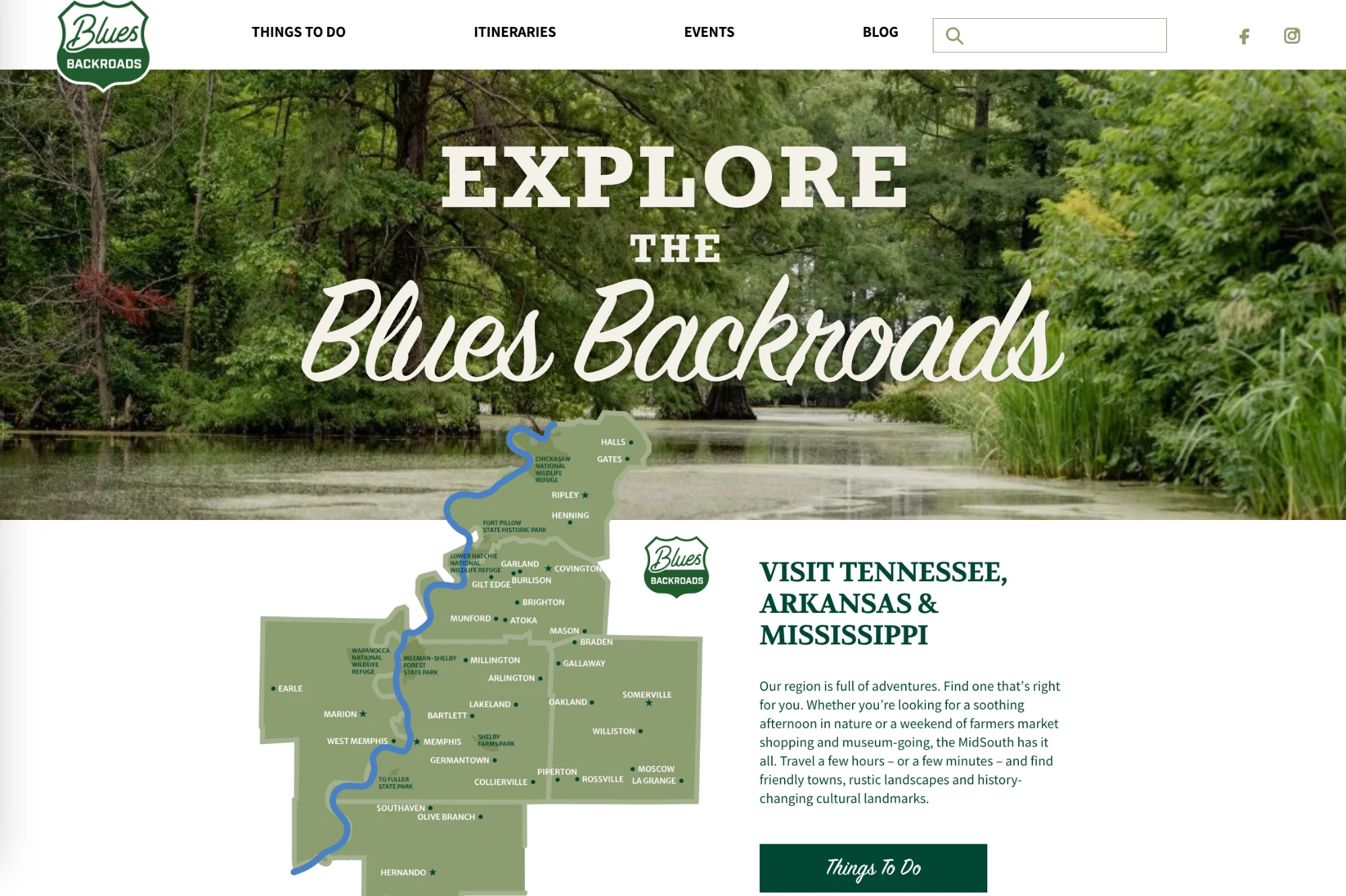
Blues Backroads website

Blues Backroads · MidSouth Development District

The client needed
A regional tourism website on WordPress had become harder for the team to manage, and local partners needed an easier way to share events.
We did
We moved the site off WordPress to a custom platform, migrated the content, rebuilt itineraries and interactive maps, and created an event submission system where regional partners submit events for review.
The result
A tourism website that is easier to explore, easier to manage and ready to keep growing, with important SEO protected through the move.
“I also really appreciate that I didn't have to worry about it, that you had it covered. That was exactly what we wanted.”
Read the full case study →
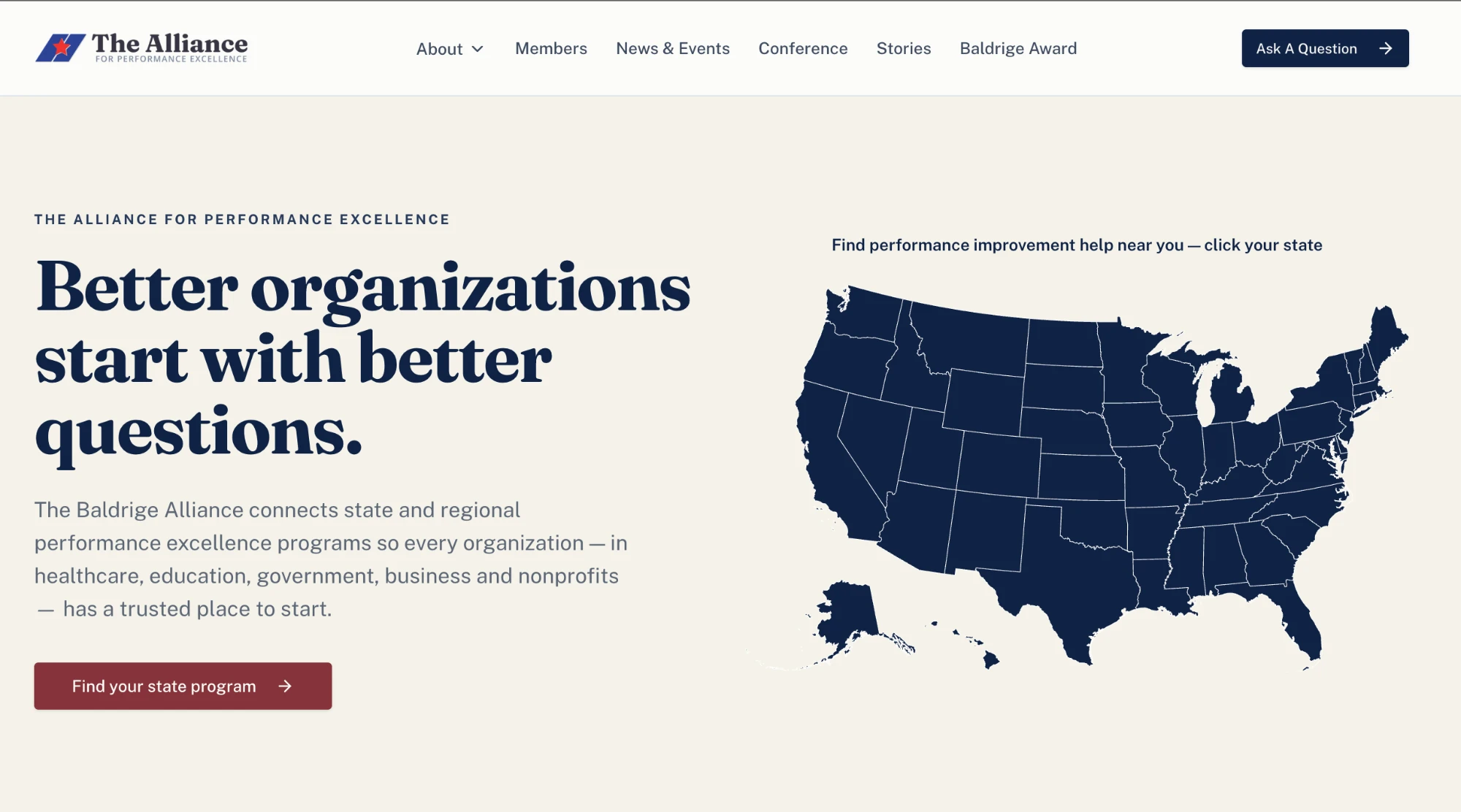
BaldrigeAlliance.org website

BaldrigeAlliance.org

The client needed
The Alliance took on the national Baldrige Award process on top of supporting its network of state and regional programs, which meant new audiences, new services and a much more complicated story, all on a rigid WordPress site.
We did
We simplified the information architecture and rebuilt the site as a custom web application with an interactive member map, a program finder, a self-service member portal, an AI site assistant grounded in Alliance content and an admin portal with permission levels for staff.
The result
News, events, member records and media were migrated, every legacy URL was mapped to protect SEO, and the site soft-launched ahead of the annual conference.
Questions

WordPress migration FAQ

Will we lose our search rankings if we leave WordPress?

Not if the move is planned carefully. We map every important URL, set up redirects, carry over titles and meta descriptions, and monitor search performance after launch.

Can we keep our blog and news archive?

Yes. Posts, categories, images and authors can all be migrated, and old post URLs redirect to their new locations.

Do we still need plugins after moving?

No. The features you rely on, such as forms, SEO settings and galleries, are built into the new site, so there is no plugin list to keep updated.

Start with a conversation

Let’s see if moving from WordPress makes sense.

Tell us what your WordPress site does today and what frustrates your team. We will give you an honest view of whether to stay, clean it up or move, and what each option involves.

Talk About Your Website